Windows Server 2025 Security Lab





25 hands-on labs that follow one idea: show the attack first, then build the control that stops it, then prove that it works. Each lab has a hacker scenario, the concepts, how the control breaks the attack, a step-by-step build with verification commands, and one key takeaway.
Most of the time attackers do not break in, they log in: a weak password, a hash stolen from memory, an admin account with too many rights. This lab closes those doors one by one, with tools already in Windows Server and Azure.
⚠️ Lab environment only. Several labs lock accounts, change boot or authentication behaviour, or force BitLocker recovery. Run them on your own isolated virtual machines, with checkpoints, never on production systems. The attacks are simulated with harmless commands (failed sign-ins, a test local admin, a test firewall rule, …); this repository contains no exploit code.
The lab
Four VMs on Hyper-V (all Generation 2, Secure Boot, virtual TPM) and an Azure subscription for the cloud chapters.
flowchart LR
  subgraph LAB["Hyper-V lab network 10.10.0.0/24, domain contoso.com"]
    DC1["SEA-DC1<br/>Domain controller, DNS, GPO<br/>10.10.0.10"]
    SVR1["SEA-SVR1<br/>Member server, the 'victim'<br/>10.10.0.11"]
    SVR2["SEA-SVR2<br/>Becomes an RODC (lab 2.4)<br/>10.10.0.12"]
    CL1["SEA-CL1 (Windows 11)<br/>Admin workstation<br/>10.10.0.20"]
  end
  subgraph AZ["Azure and Microsoft 365"]
    ARC["Azure Arc"] --> LAW["Log Analytics<br/>law-infra, law-sentinel"]
    LAW --> SENT["Microsoft Sentinel"]
    DFC["Defender for Cloud<br/>Defender for Servers"] --> MDE["Defender for Endpoint"]
    MDI["Defender for Identity"]
    ENTRA["Entra ID<br/>Password Protection"]
    KV["Key Vault<br/>disk encryption"]
  end
  SVR1 -. Azure Arc agent .-> ARC
  SVR1 -. MDE via Arc .-> MDE
  DC1 -. MDI sensor .-> MDI
  DC1 -. password filter + proxy on SVR1 .-> ENTRA
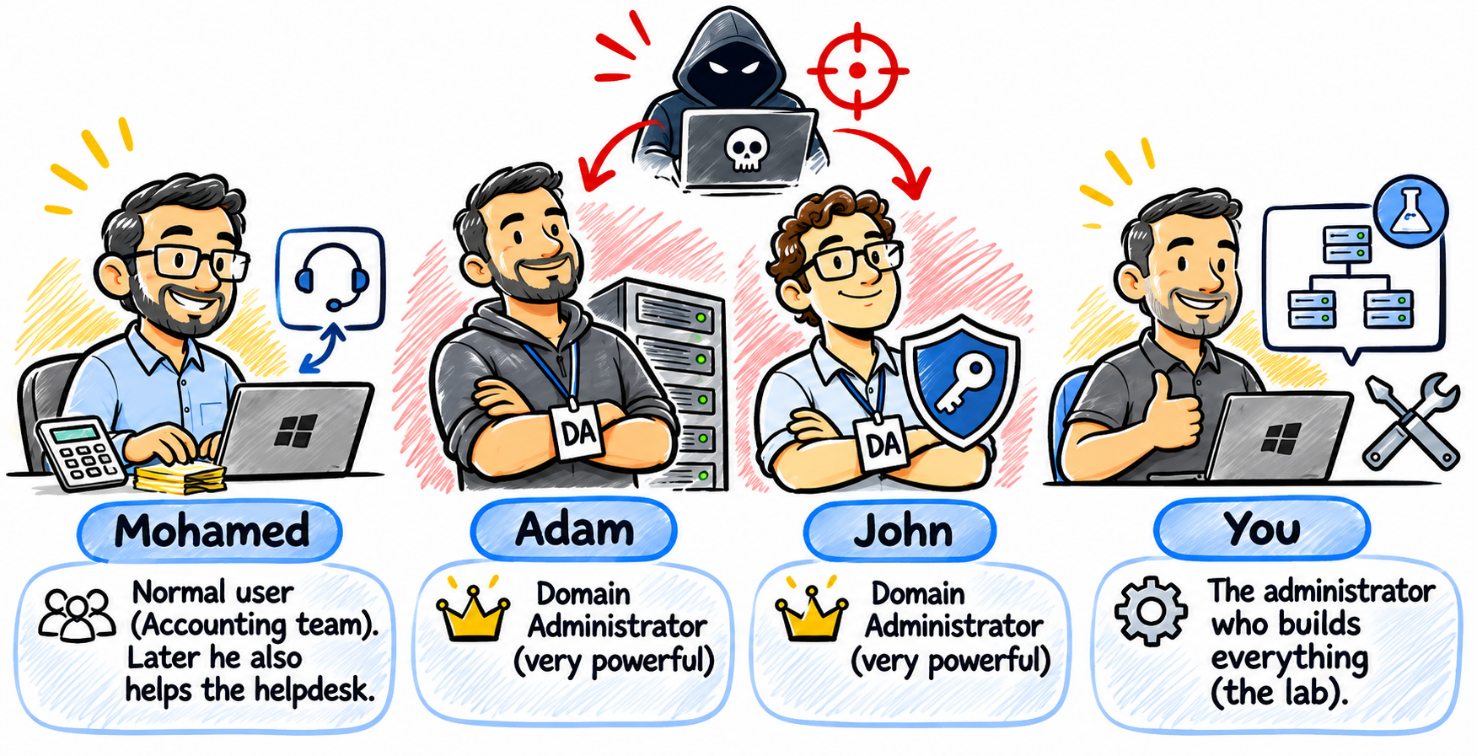
Cast: Mohamed (normal Accounting user, later helps the helpdesk), Adam and John (Domain Admins, hackers love them) and you (the administrator who builds everything).
How every lab works
flowchart LR
  A["🥷 Hacker scenario<br/>how the attacker abuses a missing control"] --> B["📖 Concepts"]
  B --> C["🛡️ How this stops the attacker"]
  C --> D["🧪 Step by step<br/>build it, then prove it works"]
  D --> E["✅ Key takeaway"]
Start here
- Read Welcome and lab setup: VM table, domain, users, RSAT, Azure prerequisites and the extra setup the labs assume (switch,
ServersOU,Policies$share). - Take a checkpoint named Baseline of every VM.
- Do the labs in order (later labs reuse earlier results; dependencies are listed in the setup doc).
- At the end, use the attack → control map as a self-test: cover the middle column and name the control.
The 25 labs
Chapter 1: Securing the Windows Server operating system
| Lab | Attack | Control |
|---|---|---|
| 1.1 Password and lockout baseline | Brute force / password spray | Password + lockout policy (Group Policy) |
| 1.2 Exploit protection | Memory exploit (buffer overflow) in an unpatched app | DEP, ASLR, CFG, ACG |
| 1.3 App Control for Business (WDAC) | Unknown malware or attacker tools dropped on the server | Allow list, audit mode first |
| 1.4 Credential Guard | Pass-the-hash after reading LSASS memory | Virtualization-based security |
| 1.5 SmartScreen | Phishing download / fake download site | SmartScreen, prevent bypass |
| 1.6 Defender for Endpoint | Vulnerable third-party app (old 7-Zip) | EDR + vulnerability management |
Chapter 2: Securing hybrid Active Directory accounts
| Lab | Attack | Control |
|---|---|---|
| 2.1 Fine-grained password policy | Password spray against a high-value team | PSO |
| 2.2 Entra Password Protection | Wordlist built from company words | Global + custom banned lists |
| 2.3 Protected Users | Credential theft when a Domain Admin signs in | Protected Users group |
| 2.4 Read-only domain controller | Stolen branch-office domain controller | RODC + Password Replication Policy |
| 2.5 Authentication policies and silos | Stolen admin password used on a sensitive server | Authentication firewall |
Chapter 3: Least privilege and delegation
| Lab | Attack | Control |
|---|---|---|
| 3.1 Restricted Groups | Backdoor admin account (persistence) | Restricted Groups |
| 3.2 Delegation of Control | Over-privileged helpdesk account | Scoped delegation |
| 3.3 Kerberos double-hop | Lateral movement through delegated tickets | Constrained delegation, CredSSP off after use |
| 3.4 Defender for Identity | Reconnaissance and attacks against domain controllers | Sensor on the DC |
Chapter 4: Watching your servers from Azure
| Lab | Attack | Control |
|---|---|---|
| 4.1 Azure Arc and Log Analytics | Attacker clears the Security log | Arc + Azure Monitor Agent |
| 4.2 KQL hunting and alerts | Password spray nobody notices | KQL query + alert on event 4625 |
| 4.3 Microsoft Sentinel | An attack spread across several tools | Correlation, analytics rules, playbooks |
| 4.4 Secure Score | Owner account without MFA, unpatched server | Defender for Cloud recommendations |
Chapter 5: Securing Windows Server networking
| Lab | Attack | Control |
|---|---|---|
| 5.1 Windows Defender Firewall | Worm scanning for open SMB / RDP | Host firewall with scoped rules |
| 5.2 IPsec connection security | Man-in-the-middle / rogue laptop on the LAN | Domain isolation with IPsec |
| 5.3 Firewall review with Windows Admin Center | "Allow all" inbound rule planted by the attacker | Fast review and disable in WAC |
Chapter 6: Securing Windows Server storage
| Lab | Attack | Control |
|---|---|---|
| 6.1 BitLocker with keys in AD | Stolen disk or copied VHDX | BitLocker + recovery key in AD DS |
| 6.2 Forced BitLocker recovery | Lost recovery key (availability) | Recovery drill and key rotation |
| 6.3 Encrypting Azure VM disks | Azure disk export by a rogue Contributor | ADE and customer-managed keys |
What you need
| Host | A Hyper-V host able to run four VMs at once (three Windows Server 2025, one Windows 11 Enterprise), all Generation 2 with Secure Boot and a virtual TPM |
| Azure | Free trial subscription, resource group az801-rg, Microsoft Entra ID P2 trial (needed by the Azure labs: 1.6, 2.2, 4.1 to 4.4, 6.3) |
| Microsoft 365 | E5 trial for Defender for Identity (Lab 3.4) |
| Time | The labs that need Azure or Microsoft 365 trials are the ones that expire: plan them together |
Labs that need no Azure or Microsoft 365 subscription (a few still need internet, for example the SmartScreen test page): 1.1 to 1.5, 2.1, 2.3, 2.4, 2.5, 3.1 to 3.3, 5.1 to 5.3, 6.1, 6.2. Labs that need Azure and/or Microsoft 365: 1.6, 2.2, 3.4, 4.1 to 4.4, 6.3.
Repository structure
windows-server-security-lab/
├── README.md
├── docs/
│   ├── 00-welcome-and-lab-setup.md     VMs, domain, users, extra setup, lab dependencies
│   ├── attack-to-control-map.md        final review table: attack -> control -> lab
│   ├── progress-checklist.md           tick the labs as you go
│   ├── REVIEW-NOTES.md                 what was added or changed compared to the course text
│   └── images/cast.png
├── labs/
│   ├── 01-securing-the-os/ ... 06-storage-encryption/
│   │   ├── README.md                   chapter intro + lab table
│   │   └── lab-N.M-<name>.md           one file per lab
└── scripts/
    └── lab-N.M-<name>.ps1 / .kql       the commands of each lab, copy them one by one
Scripts
scripts/ holds every command and KQL query from the labs, with the sentence that introduces it as a comment. They are snippets to run one by one, on the machine named in the lab, not scripts to run as a whole. All PowerShell files were checked with the PowerShell parser for syntax errors; they were not executed here (no Windows Server lab in this repository's build), so test in your own lab.
Source and status
The lab text comes from the course document How to Master Windows Server Security (AZ-801) (author: Mohamed), converted to Markdown without changing its content, except for the few places marked ⚠️ Added by this repository, listed in docs/REVIEW-NOTES.md together with points to double-check against current Microsoft documentation. Product names and portal paths change often: where the course adds a 2025 note, it is kept as a 📌 note.
License
Not chosen yet (the repository is private). Decide before making it public: for example MIT for the scripts and CC BY-NC-SA 4.0 for the course text.